the singularity of being and nothingness
ExtJS

ExtJS 4.2 Walkthrough — Post-Upgrade Bug
May 27th
In the last installment, we took a few moments to upgrade our app from ExtJS 4.2.0 to ExtJS 4.2.1. As I pointed out, upgrading is not an insignificant decision, as you will have to test and verify that your app continues to work as expected.
Well, in preparing the next several sections, I came across a bug in 4.2.1 that harms a bit of the functionality I was wanting to implement. While these bugs are a natural (albeit frustrating) part of software evolution, ExtJS is fortunately extensible enough that we can easily create a custom patch (or override) that will allow our code to work as expected WITHOUT modifying the core framework. The benefit of this approach, of course, is that we future-proof our code against new versions. So then, when the new version comes out, we can remove our custom patch and see if the issue is resolved in the core. If it’s not, we can simply re-enable our patch, submit another bug ticket :), and continue on.
Tips for Dealing with BugsBefore we fix this bug, let me offer a couple suggestions to mentally dealing with bugs in ExtJS:
- Acceptance: The first step to healthily dealing with bugs in ExtJS is to More >
ExtJS 4.2 Walkthrough – Upgrade!
May 25th
As with all software, each version of ExtJS ships with the following:
- Bugs
- Known issues
- “Would-be-nice” features that didn’t make the prior release
Fortunately, the ExtJS team is constantly tweaking, fixing, and improving the framework. With each round of development, they’ll do various releases…some major like 4.2, others minor like the recent 4.2.1.
Should I Upgrade?With each new release, you have an important decision to make: will you continue using the version that you have (which is presumably working), or take a chance and upgrade?
What do I mean by “take a chance”?
With each new version, the full framework is re-released, and the upgrade you’ll make is total (unless you hack new changes into your existing version, which is definitely not advised…). While 99% of the changes won’t affect you whatsoever, there may be bug fixes, improvements, or just complete refactorings that will affect your app in some way. Obviously, the Sencha team does the best they can to mitigate these issues, but they happen nevertheless.
So if you are thinking about taking the plunge of upgrading, ask yourself a few questions first:
- Do I NEED to upgrade? Before you upgrade, view the release notes. These will outline all the bug fixes, enhancements, etc. that are included in the More >
ExtJS 4.2 Walkthrough – Documentation
May 22nd
This is a bit of an aside, but tonight I worked on migrating my current progress on this walkthrough app into JSDuck-style documentation. It turned out awesome!
Check out the documentation site here: http://existdissolve.github.io/CarTracker/
I’ll be updating this with each installment, and one of these days I’ll add a walkthrough for how to create this (even though it’s dead simple).
Anyway, super stoked about how awesome they turned out, so I thought I’d share
Share this: ExtJS 4.2 Walkthrough – Part 3: Under Control(ler)
May 21st
Yep, I lied. In the last post, I said we were going to start making data models and whatnot. All lies. We could, of course, plow ahead with making a data model. However, our app is not quite ready to support a data model of any kind, so we’d make it and have to set it aside until later. Instead of doing that, let’s just wait to make it until later and spend our time on something that will get us closer to being able to use it. Good? Excellent.
A Bit About ControllersNOTE: Code for this installment can be found on GitHub.
Controllers within ExtJS 4 MVC apps are the brains of your application, the place where the vast majority of your application’s functionality and logic will (and should be) stored. By design, ExtJS 4 is event driven, so your controllers are really like souped up event listeners.
Pretty much every component (views) and data object (stores, models) will fire off a number of events based on the context. So for example, when your store makes an AJAX request via a server proxy, the store (via the proxy) will fire a load event. In your controller (and elsewhere), you can listen to this event and More >
ExtJS 4.2 Walkthrough - Part 1: Setup
May 19th
Welcome to the first installment in our series on developing an MVC-style ExtJS 4.2 app!
As mentioned in the Introduction, the app we’ll be developing will be a simple management system for a car dealership. The name of the app is so super-creative it will blow your mind. Are you ready for this?
The name of the app is: Car Tracker
Car Tracker?
Yes, Car Tracker.
That just changed your life forever…you’re welcome
Getting StartedNOTE: Code for this session can be found on GitHub.
The first step to creating our app is, of course, to make sure that we have the framework, as well as Sencha Cmd, which we’ll use to generate, theme, and compile the app.
- Download ExtJS 4.2.0 GPL SDK
- Download Sencha Cmd (3.1.1.274)
- Make sure you have Ruby 1.9.3, not 2.0 (otherwise, Sencha Cmd won’t work right for some things)
- Go ahead and bookmark the online docs for ExtJS 4.2.0. Not only are they pretty, but super-useful.
Once you’ve downloaded the 4.2.0 SDK, extract the files. I like to put the SDK in a common location. On my Mac, I put mine here:
~me/sencha/extjs/ext-4.2.0
Ultimately, it doesn’t matter where you put it, as long as you can find it later.
Step 2: Install Sencha CmdOnce you’ve downloaded Sencha Cmd, More >
New Project: ExtJS 4.2 App Walkthrough
May 19th
Over the last few months, I’ve been building (and reading about building) a number of applications using the excellent ExtJS 4.2.0. I thought it might be fun/instructive to do something of a short “walkthrough” of the process of building an app…so that’s what I’m going to do :).
In the next series of posts, I’m going to build an MVC-style ExtJS 4.2.0 app, walking through the code and strategy at each step along the way. I hope that it will be entertaining/instructive to code along with me.
The AppThe app is not going to be complicated, but I am going to try to hit some major areas of functionality that are common to developing ExtJS 4 apps. While I can’t promise that every bit of functionality will “fit” your real app’s specific needs, I do promise to avoid ridiculous, over-simplistic and unrealistic examples. My intention is to share my experiences from building real apps, not to teach you about every possible aspect of the ExtJS 4 library, regardless of how relevant it may or may not be to what we’re building. Besides, I don’t know every possible aspect of the library anyway, so I would be of less-than-complete help in that More >
Documenting ExtJS/Sencha Touch Code with JSDuck
Jan 28th
This will be a short post, I promise
Recently, I posted my version of a time picker in Sencha Touch 2. As part of this, I wanted to *really* document the component. I decided to leverage JSDuck, the tool which is currently used by Sencha to provide API documentation for…well…everything that they do.
Beyond looking pretty flipping sweet, the awesome part about JSDuck documentation is that it’s in the vein of “self-documenting” code. That is, beyond a few configuration comments you might make here or there, nearly everything that JSDuck spits out in terms of documentation (or is that duck-umentation…ugh) comes directly from the code you write anyway. Pretty nifty.
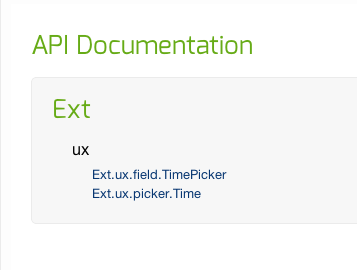
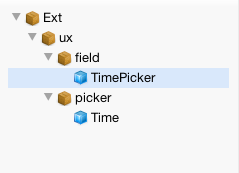
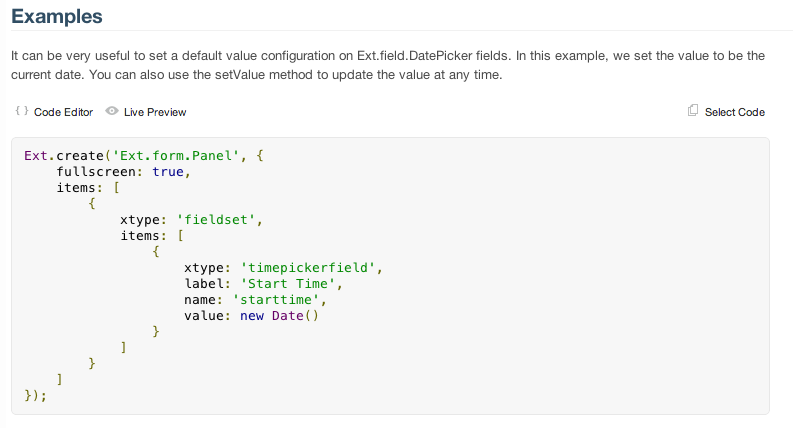
Anyway, if you’re interested, check out the documentation for JSDuck, and enjoy the screenshots of my documented component below.
Share this:
ExtJS 4: Custom Editor for Property Grid
Dec 30th
Yesterday, I was helping someone figure out how to add a custom, complex editor for use in a ExtJS Property Grid.
The Anatomy of a Property GridFor some context, a Property Grid is like an editable grid, but instead of editing rows of data, you use a grid like interface to edit the properties of a single object. Think of it like the interface you’d use when defining database properties in SSMS…
By default, the Property Grid has several editors for simple types like strings, dates, booleans and numbers. Better yet, ExtJS will automatically try to detect the correct type, and specify the appropriate editor for you.
Out of the Box is Never EnoughBut of course, out of the box never gets you 100% of the way. Imagine that we have a cluster of properties, one property of which is a complex data type. Consider this example:
source: {
    name: "My Object",
    created: Ext.Date.parse('10/15/2006', 'm/d/Y'),
    timeofday: "12:00 PM",
    available: false,
    version: 0.01,
    description: Ext.encode({
    product: 'Clorox',
    tagline: 'The Shinyest White!'
    })
}
As you can see, most of the properties are very simple. However, the last one (description) is complex: in this example, it’s a serialized object. If we More >
Virtual Directory-Driven ExtJS 4 Development - The Finale
Nov 24th
If you’ve been following along the last few posts, you’ve seen how it’s relatively simple to set up your local development environment to leverage global library assets to create ExtJS 4 applications. What you’ve probably also noticed is that there are a number of configurations (some one-time, others per-application) that need to be implemented before it will work. While these are not necessarily that big of a deal (especially in light of the benefits you gain), it’s still a lot. Here’s the full list:
- Generate application with Sencha Cmd
- Add virtual directories (ExtJS library, global plugins, and resources)
- Update ext.dir in /app/.sencha/workspace/sencha.cfg
- Add workspace.classpath in /app/.sencha/workspace/sencha.cfg
- Add full host path to /app/resources/theme/{themename}/theme.html
- Update $ext_path in /app/resources/sass/{themename}/config.rb
- Add fixes to /extroot/resources/themes/lib/Utils.rb (one time)
- Update /app/.sencha/app/build.impl.xml to copy theme images to app folder
- Develop application
- Build application and theme
So only 9 per-app steps…not too bad. But wouldn’t it be WAY better if this number could drastically reduced?
WARNING!! WARNING!! WARNING!!
What follows is a total hack. The steps outlined will show you how to modify your Sencha Cmd installation so that the configurations previously outlined will now be the “default”. These changes apply only to ExtJS 4 app creation and compile/build. I didn’t bother with the more advanced commands in Sencha Cmd, nor with anything relating More >
Virtual Directory-Driven ExtJS 4 Development - Part Second
Nov 21st
In my last post, I outlined a method that can be used to develop compilable-ExtJS 4 applications, with minimal configuration, that leverage a common, global location for shared assets and libraries. This approach works fine if you are merely “compiling” the application (e.g., only the JS part). However, if you do the full “build” you’ll quickly run into a number of issues.
The most significant of the issues is that the full build process will attempt to compile the theme for your app via the compass compile command. Since our approach decouples the app from the library, AND because we didn’t exactly deal with the SASS/theme bits whatsoever, the errors just roll and roll when building the app.
Fortunately, the fix is pretty easy. In the following, I’ll outline some necessary pre-requisites you’ll need to get setup before building, and then I’ll suggest a few options for how to do this.
Another Virtual DirectorySince we’re primarily interested in styles-particularly images-we need another virtual directory that will point to the images for our theme.
In httpd.conf, I’ve added the following:
Alias /sencha/testapp/resources/images "/Users/{username}/sencha/extjs/resources/themes/images"
NOTE: If you are developing your own custom theme that will be app-specific, you can skip this step and just put the theme images in More >